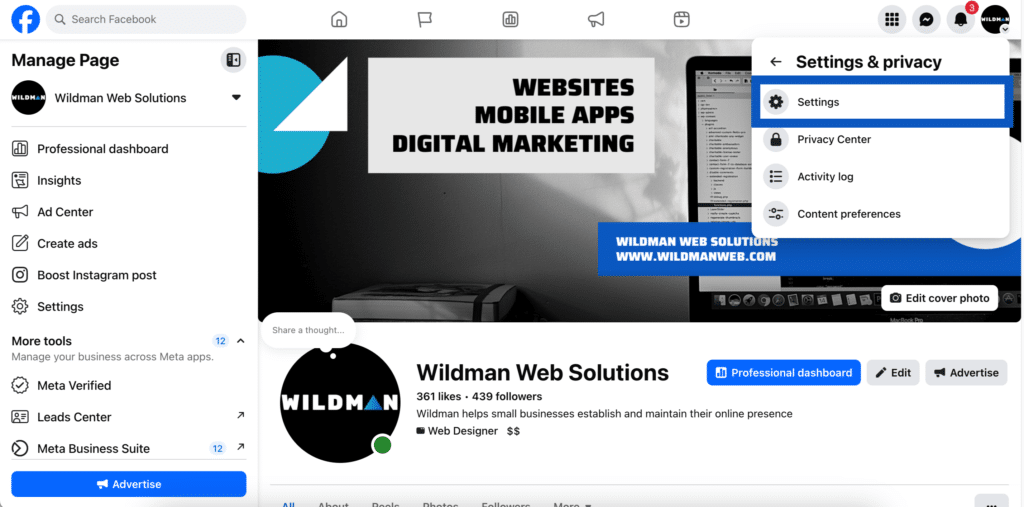
Step 1: From your Facebook page, click your logo in the top right hand corner, then select ‘Settings & Privacy’

Step 2: Select ‘Settings’
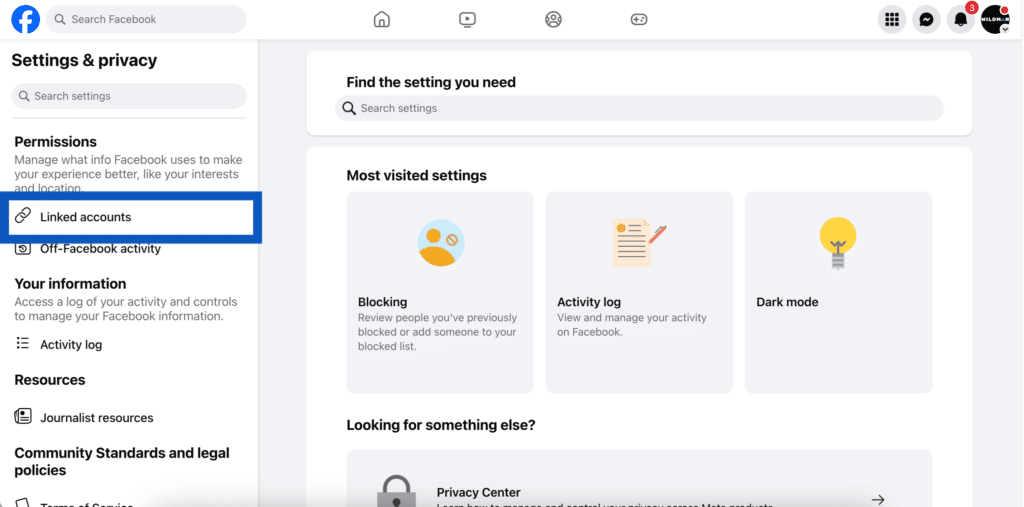
Step 3: Select ‘Linked Accounts’ on the left hand side
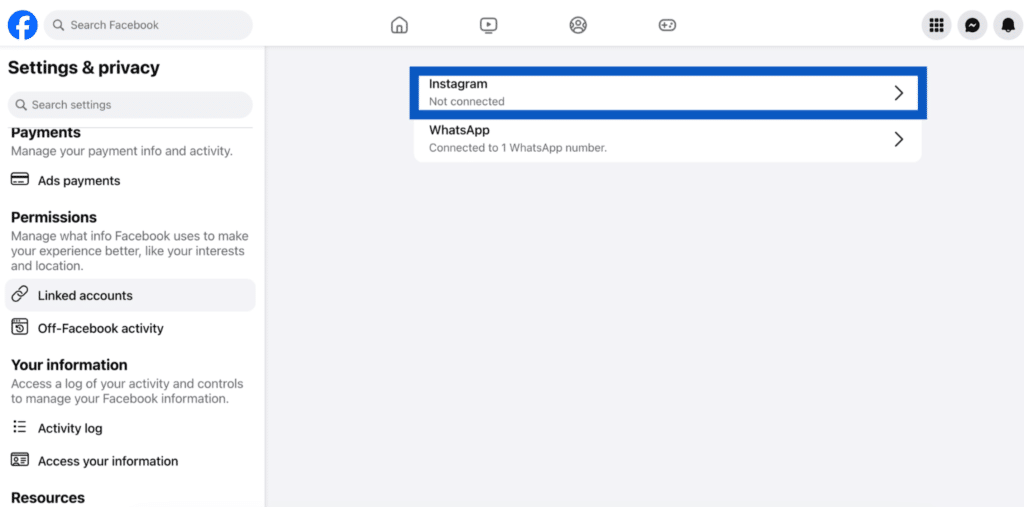
Step 4: Select Instagram
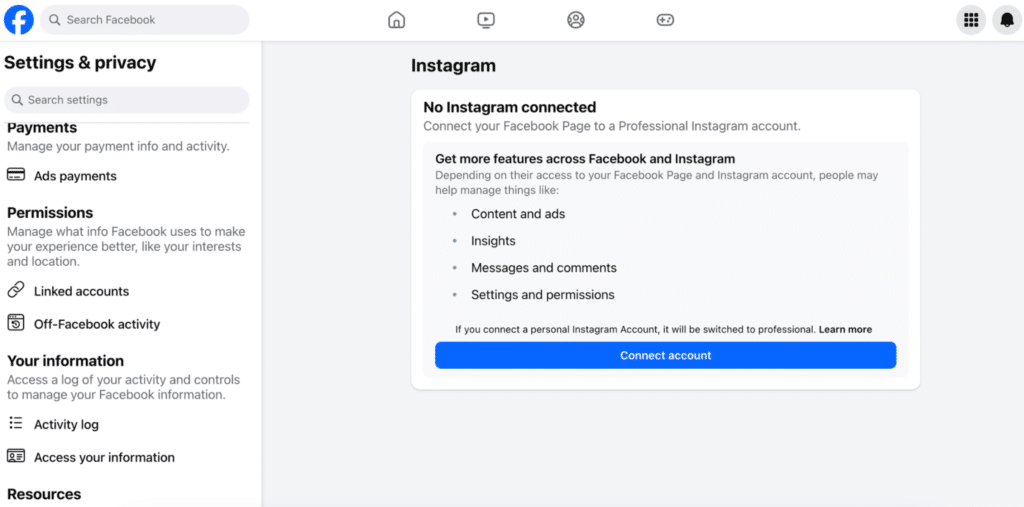
Step 5: Select ‘Connect account’ and follow connection steps.