

Maintaining a steady social media presence is a struggle for most Kansas small business owners. Without a social media scheduler, it’s all too common to post consistently for two weeks, get busy with real work, then go silent for a month. The cycle repeats and your social media presence looks abandoned half the time.
This feast-or-famine pattern damages your brand more than posting nothing at all. Potential customers check your Facebook page, see the last post was six weeks ago, and wonder if you are still in business.
With the right tool, you can automate your posting and keep your business active online all year. We have helped dozens of small businesses across Kansas solve this problem by implementing a scheduling system. The result is consistent posting, even during your busiest seasons.
Here’s how to build a social media scheduler for your business.

Understanding Content Categories
Content categories are the foundation of an efficient social media scheduler. These are buckets that hold different types of posts. Instead of asking “what should I post today?” you assign each day of the week to a specific category in your scheduler.
A typical small business needs four to six categories. Here’s a framework we use with our Kansas clients:
- Educational content: Tips, how-to information, answers to common questions
- Social proof: Customer reviews, testimonials, before-and-after photos
- Promotional: Sales, special offers, new products or services
- Behind the scenes: Staff spotlights, workspace photos, process explanations
- Community: Local events, partnerships with other businesses, Kansas-specific content
- Engagement: Questions, polls, requests for feedback

A Lawrence retail shop might schedule Monday for tips, Wednesday for testimonials, and Friday for promotions. An HVAC company in Wichita might use a social media scheduler to post maintenance tips on Tuesdays and customer stories on Thursdays.
These categories ensure balance. You never post three promotions in a row. You never go two weeks without sharing a customer review. The scheduler enforces variety automatically, keeping your audience engaged without requiring extra effort from you.

Why You Need a Social Media Scheduler
Choosing the right social media scheduler is key to staying consistent. A good scheduler should allow you to create content categories, assign posts to those categories, and set up automated posting schedules for specific days and times.
With an effective social media scheduler, you can:
- Batch your content creation and upload everything at once
- Set a variety of categories to keep your feed interesting
- Schedule posts weeks or months in advance
Automating Content Using RSS Feeds
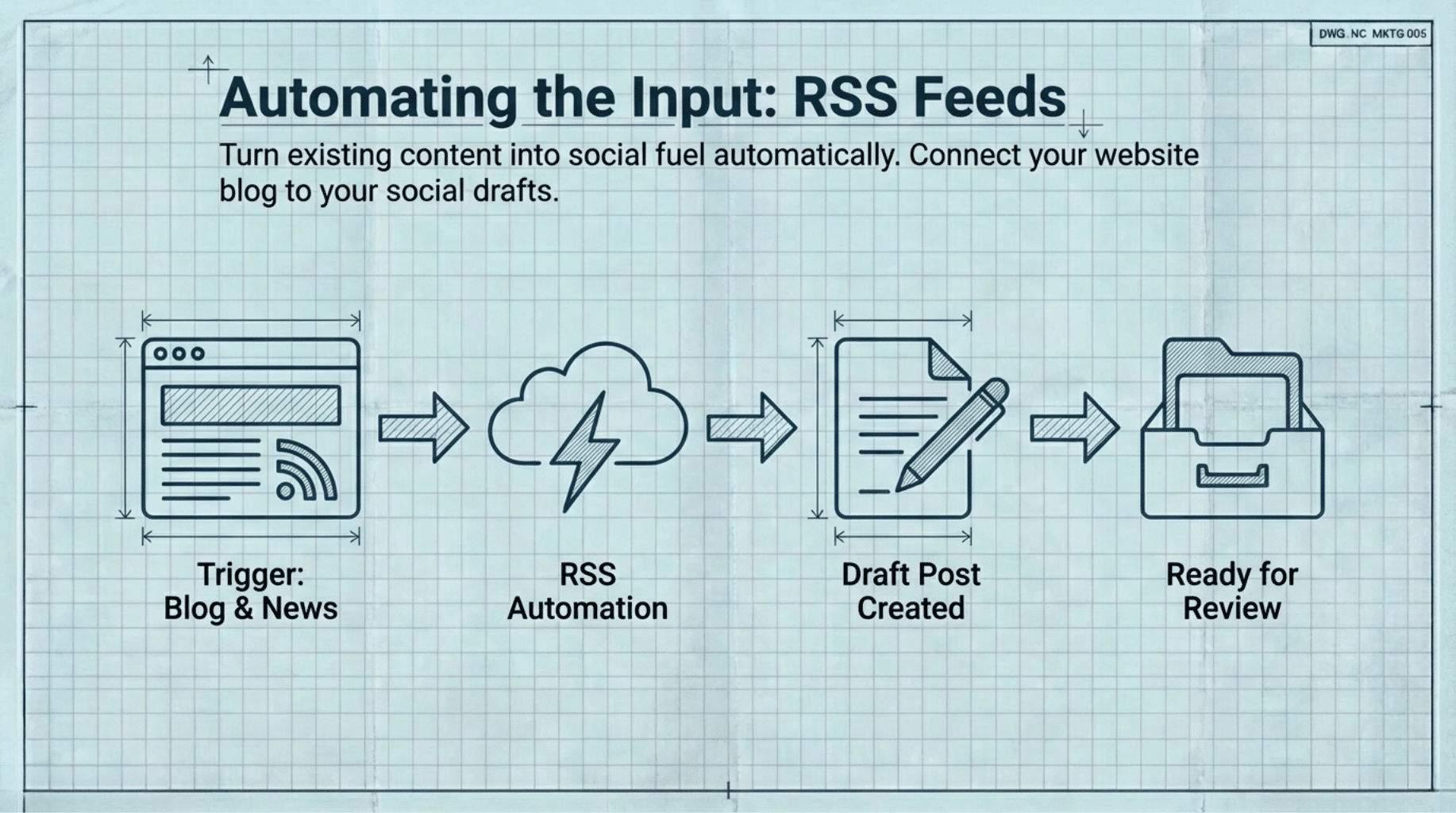
RSS feed automation can turn your existing content—blog updates, events, industry news—into posts in your social media scheduler. This can be set up with a simple automation tool:
- Trigger: New RSS item (your blog, events, industry news)
- Action: Create a draft post in your scheduler
- Optional: Add to a specific category for review
Reviewing Your Scheduler Analytics
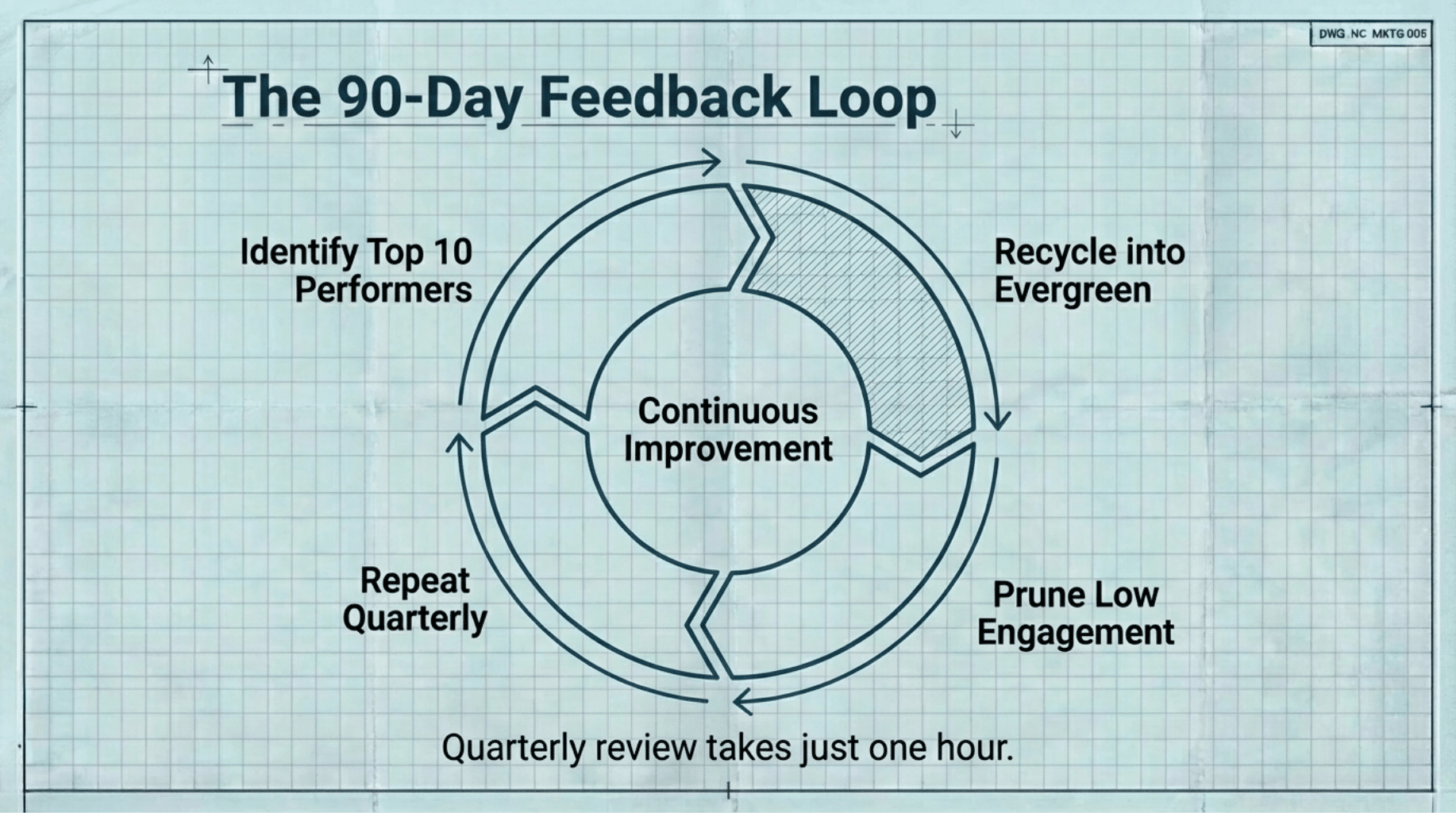
After 90 days of automated posting, review your social media scheduler analytics. Identify your top 10 performing posts by category. These become core evergreen content with higher recycling frequency. Remove low-engagement posts and replace them with better versions.
Implementation Timeline for Your Social Media Scheduler
Week 1: Choose your social media scheduler and create content categories
Week 2: Set your posting schedule and upload content
Week 3: Enable recycling, set up RSS automation
Week 4: Review, adjust based on early results
FAQ: Social Media Scheduler for Small Businesses
What is a social media scheduler?
A social media scheduler is a tool that plans, automates, and publishes your social media posts on a set schedule. This ensures you maintain a consistent online presence with less manual effort.
How do small businesses use a social media scheduler?
Small businesses use schedulers to create content in advance, organize it by category and set an automated posting schedule. Many also automate blog or event promotions using RSS feeds.
How do you choose the best social media scheduler for a small business?
Look for a scheduler that lets you create categories, automate posting, and integrates with your preferred platforms. Simplicity and time-saving features should be your top priorities.
Your Next Step
Audit your last 30 days of social media posts. Count how many fall into each content category. Most small businesses in Kansas find their posts are mostly promotional or have weeks with nothing posted. This quick audit will show where a social media scheduler adds balance, saves time, and improves your online presence.
If the setup feels overwhelming, our team builds and customizes social media schedulers for Kansas small businesses. We’ll handle tool configuration, category creation, and content upload so your scheduler is live, working, and saving you time right away. Contact us today to get started.