Connecting and Managing Accounts in Social Marketing
 Wildman Web Solutions
Social Marketing empowers you to connect and manage multiple social media accounts and a WordPress blog from one centralized platform. Whether you’re scheduling content, monitoring engagement, or sharing blog posts automatically, Social Marketing simplifies your social media presence.
Connecting Social Media Accounts
Step 1: Select the Social Marketing tool, then select Launch

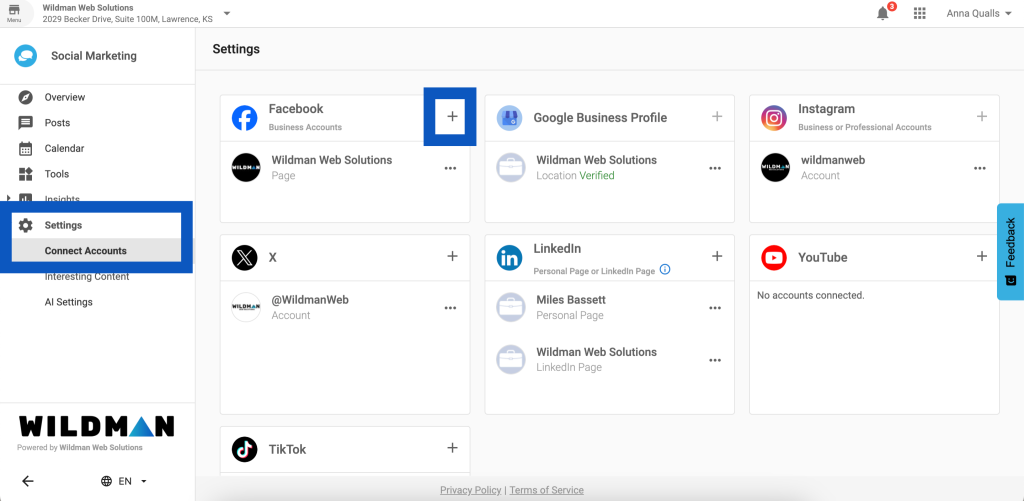
Step 2: Select Settings > Connect Accounts
Step 3: Click the “+” next to each social platform to connect the account
Step 4: Follow the relevant steps to connect your accounts.
Note: Instagram accounts must be connected to a Facebook account to connect to the platform. If you need to link your Facebook and Instagram accounts, follow this guide.