Run your business from one dashboard.
Self-serve tools for leads, reviews, SEO, and social.
What you get
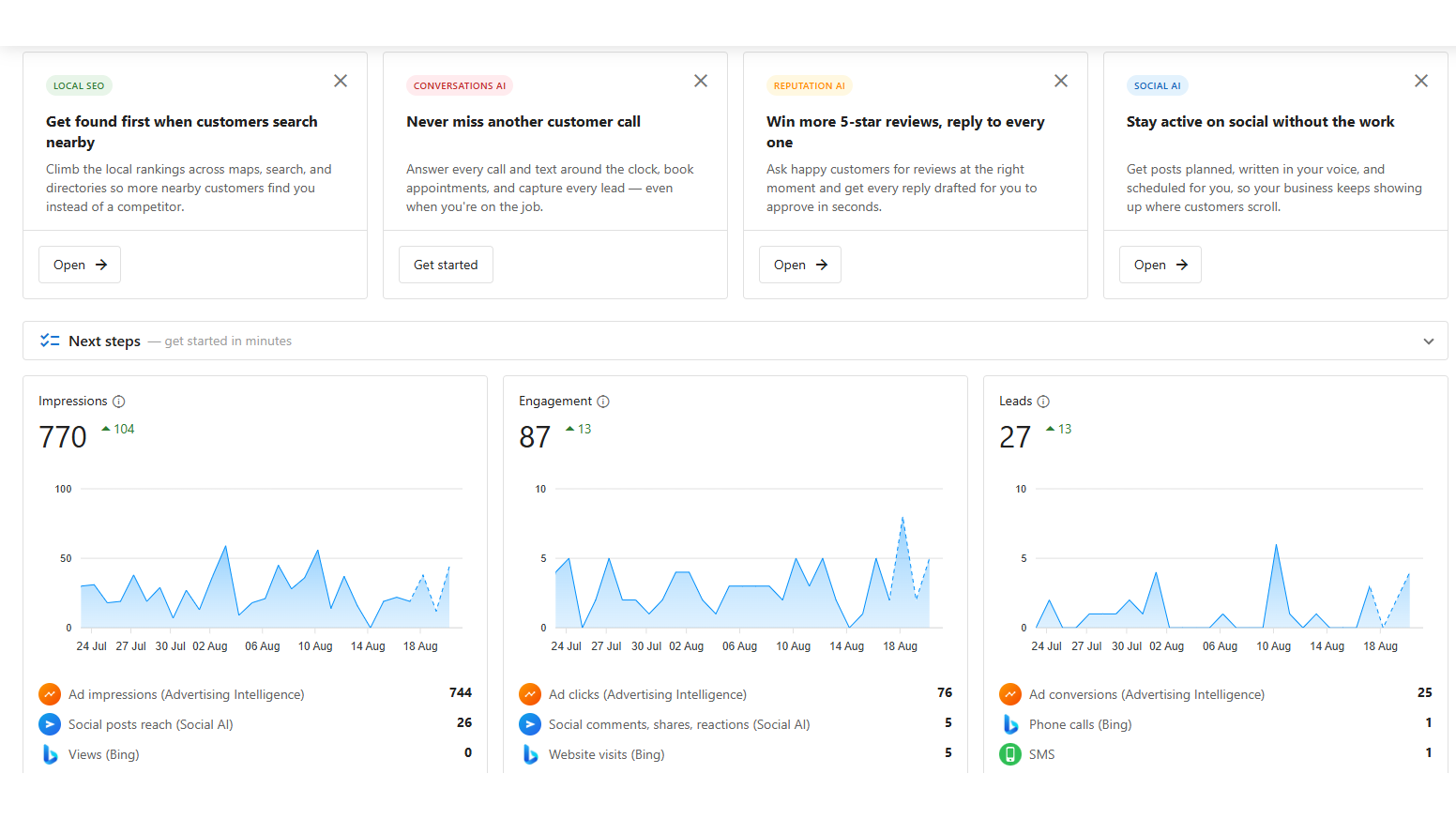
For reviews, listings, social, and messages.
For content and replies.
On what is working.
Five products. One platform.
Each product works on its own. Together, they cover every part of your online presence — from capturing leads to building your reputation to showing up in local search.
What is business management software?
It is a single system holding the things a small business currently runs across four or five separate subscriptions: customer records, the messages you exchange with them, review requests, social posting, forms and the reporting over all of it.
The argument for consolidating is not mainly cost, though there is usually a saving. It is that separate tools each hold a fragment of the same relationship, so nobody can see the whole thing. When the inquiry, the conversation, the job and the review live in one record, the follow-up stops depending on somebody remembering.
What is actually in it?
A CRM that updates itself from calls and meetings. A shared inbox that pulls messages from your website, texts, phone calls, Facebook, Instagram and email into one queue. Review requests that fire automatically and AI-drafted responses you approve. Social scheduling. Local listing management. Forms and booking. And reporting across all of it.
AI runs through each part rather than sitting beside it as a separate product. The receptionist answering at eleven at night is the same system that logs the conversation against the customer record.
Do I need all of it on day one?
No, and we would advise against it. Most businesses switch on the shared inbox and review requests first, because both produce something visible within a few weeks. The rest waits until there is a reason.
Turning everything on at once is the standard way these rollouts fail. People retreat to the tools they already know and the subscription becomes shelfware nobody wants to admit to.
How does this compare to buying separate tools?
Individually, best-of-breed tools are often better than any single component of an all-in-one. A dedicated email platform will beat a bundled one. If you have the volume and the staff to run several specialized systems well, do that.
What you trade for it is the joins. Every integration is something that can break, and the reporting across a stack of tools is usually somebody exporting spreadsheets once a month. For a business without a full-time operations person, one system that is good at everything usually beats five that are excellent alone.
What does it cost?
It is a monthly subscription, priced by which parts you switch on. Most businesses find it lands close to what they were already paying across the tools it replaces (maybe less).
Setup and configuration are quoted separately, because a platform nobody configured properly is worse than the spreadsheet it replaced. We include training for whoever will use it daily.
When is this the wrong fit?
When your volume genuinely does not justify it. A small operation handling a handful of inquiries a month does not need this. When you already run a mature stack that works and your team is fluent in it, the disruption may cost more than the consolidation saves.
And when nobody will own it. Software adopted because it sounded sensible, with no named person responsible, does not survive its first busy month.
| What it replaces | Typical separate cost | What changes when it is one system |
|---|---|---|
| CRM and contact records | A per-seat subscription | Call and meeting notes land on the record without anyone typing them |
| Review request tool | A monthly fee per location | Requests fire when a job closes, not when someone remembers |
| Social scheduler | A monthly fee per account set | The same content serves your profile and your social queue |
| Shared inbox and web chat | Often two products | Website, text, Facebook, Instagram and Google in one queue |
| Forms and booking | Usually bundled or free tier | Submissions create a contact and start the follow-up automatically |
Business Platform: common questions
Do I have to use all of it?
No. Most businesses start with one or two parts, usually the inbox and reviews, because those produce a visible difference in the first two weeks. The rest can stay switched off until you want it.
Turning everything on at once is the most common way a platform rollout fails. People revert to the tools they know and the subscription quietly becomes shelfware.
How is this different from just using a CRM?
A CRM records what happened. This acts on it. A review request goes out when a job is marked complete. A lead that went quiet gets followed up without anyone remembering to. An out-of-hours inquiry gets an answer instead of waiting until morning.
If your team is disciplined about follow-up and your volume is low, a plain CRM may genuinely be enough. The platform earns its place when things are slipping through because everyone is busy.
Is my data locked in?
Your data is exportable and it remains yours. That said, be realistic: any system holding your customer history takes effort to leave, and that is true of every CRM on the market.
What we can tell you plainly is that we will not make it difficult. If you decide to move, we will help you export cleanly rather than making the process the reason you stay.
What does the Business Platform replace?
Usually a CRM, a review request tool, a social scheduler, a shared inbox and a form builder, plus whatever spreadsheet is holding the gaps together. Most small businesses arrive paying four or five subscriptions that do not talk to each other.
The saving is real but it is not the main point. The point is that a lead, the messages you exchanged, the review they left and the campaign that found them all sit in one record instead of five systems that each know a fragment.
Who sets it up?
We do. Configuration, importing your existing contacts, connecting your phone number and inbox, and building the first automations around how you actually work. You are not handed a login and a documentation link.
We also train whoever will use it daily, because the most common reason a platform fails is not the software. It is that one person understood it and then went on vacation.
Want the platform built, connected, and run for you?