Stay active on social, without the work.
Social AI writes, schedules, and publishes your posts across platforms from one calendar — so your profiles stay consistent while you run your business.

What Social AI does
Give it your brand voice and topics; it produces on-brand captions and content week after week.
Fill your calendar weeks ahead and let everything publish automatically, on time.
Draft, preview, and publish posts, stories, and reels across platforms from a single workflow.
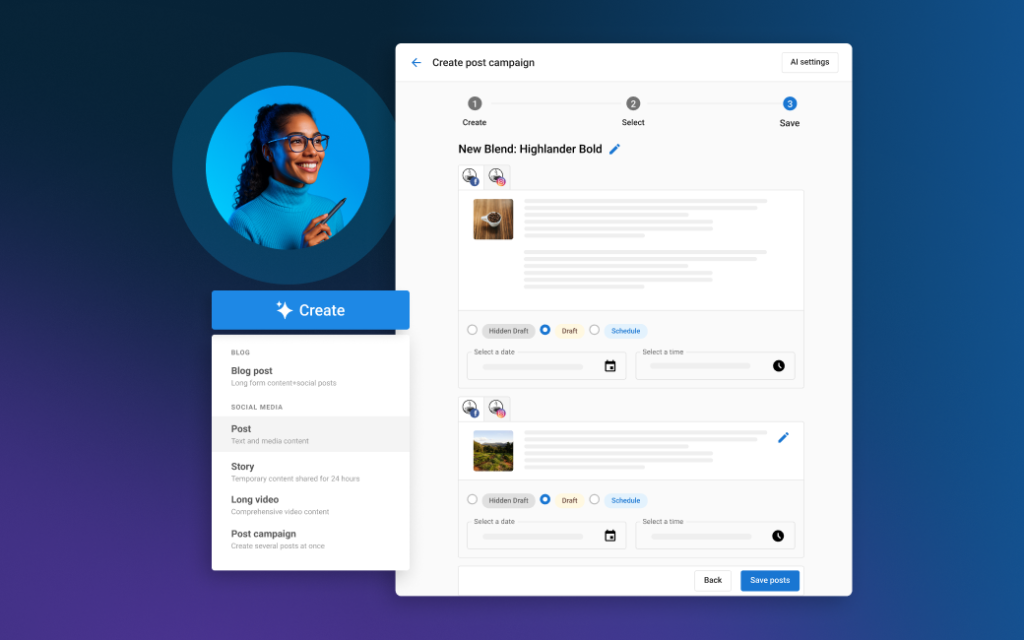
Consistency, without the daily scramble.
- AI caption and content writing in your brand voice
- Multi-platform scheduling from one calendar
- Draft, preview, and publish posts, stories, and reels
- Review and approve everything before it goes live
What is AI social media management?
AI social media management is software that writes your posts, schedules them across every network from one calendar, and handles the replies that come back. You supply the direction and the approval; it does the production work that normally eats an afternoon a week.
Social AI covers the whole loop rather than one part of it. Content gets generated from a prompt, laid out on a calendar, published to each network on schedule, and the comments and mentions that follow arrive in one inbox instead of seven apps. Performance comes back as numbers you can actually compare.
Two AI agents come with it. The Social Media Manager handles the social side — writing, scheduling, publishing and replying. The Blogger writes long-form articles and publishes them to your WordPress blog, which is the same content engine pointed at a destination you own outright.
The problem it solves is not creativity, it is consistency. Most small-business social accounts are not bad, they are abandoned — three posts in one week and then silence until the next quiet Tuesday.
Which networks can it publish to?
Seven networks and your own blog: Facebook, Instagram, LinkedIn, X, YouTube, TikTok and Google Business Profile, plus WordPress. You write once in a single composer, choose which destinations it goes to, and customize the wording per account where a post needs to read differently on LinkedIn than on Instagram.
Instagram scheduling is direct — posts publish on their own rather than sending you a phone notification to finish the job manually. Google Business Profile posts are included too, which is the one most businesses forget entirely despite it appearing right next to their listing in search results.
The WordPress connection is really the Blogger agent's territory rather than the social calendar's: long-form articles published to your own site, where they can earn search traffic for years instead of scrolling out of a feed in a day. A blog post is an asset you own; a social post is rented space.
How good is the AI at writing posts?
Good enough to produce a month of drafts in one sitting, and not good enough to publish unread. That is the honest framing, and any vendor telling you otherwise is selling you a problem.
From a single prompt it generates the text and the imagery together, then fills a content calendar with the results. If you run several locations, it can produce variations for each rather than posting identical copy from every profile. That is genuinely hours of work, and it is the reason the calendar stays full.
What it cannot do is know what happened at your business this week. The accounts that perform are the ones where AI drafts the routine posts and a person adds the photo from the job site, so the feed does not read as though nobody works there. Treat it as a first draft that removes the blank page, not as an autopilot.
Can it reply to comments and messages?
Comments and mentions, yes, from one dashboard, with AI assistance for responding at scale. Every comment left on your posts across the connected networks lands in one place, so you are not opening seven apps to find out whether anybody said anything.
The distinction worth knowing: this handles public comments and mentions on your posts. Direct messages — someone sliding into your Instagram DMs to ask your prices — belong to Conversations AI, which is built for conversations that turn into leads.
Between them the coverage is complete, and it is worth being clear about which product does which because the two are easy to confuse when you are buying.
What can you actually measure?
Engagement per post, audience growth per network, and link clicks — including where those clicks came from. Everything reports into one dashboard rather than each platform's own analytics screen, which makes networks comparable for the first time.
Link tracking is the part that connects social to revenue. A shortener in the composer lets you see how many visits each post sent to your site and which network they came from, including the portion that arrives through what is called dark social — links pasted into messages, texts and email, where the referrer is invisible and which most analytics quietly attribute to nothing.
It also pulls in historical performance for posts published organically on Facebook, X and Instagram before you started, so your first report has something to compare against.
Where does the content come from when you run out of ideas?
Three places, and you will need all of them. The AI generates original posts from a prompt. RSS feeds bring in articles from sources you choose, so you can share genuinely relevant industry content without hunting for it. And a stock image library is built into the composer for the times a post needs a picture and you do not have one.
There is also a lead-finding tool that watches for people posting about the kind of thing you sell in your area, which is a different use of social entirely — less broadcasting, more listening.
A caution on the shared content: an account that only reposts other people's articles builds nothing. Use the feeds to fill gaps between posts about your own work, not to replace them.
Who is Social AI for?
Businesses that know they should be posting, have accepted they will not do it manually, and want the accounts to look alive when a customer checks. That last part is the real job — most people do not follow a local business's social account, they glance at it before deciding whether to call.
It suits multi-location businesses particularly well, because posting to several profiles with variations is exactly the sort of repetitive work that never gets done properly by hand.
It is a weaker fit if social is genuinely your main sales channel, or if your brand lives or dies on a distinctive voice. In those cases you want a person creating, and the software becomes scheduling and reporting rather than the engine.
What does Social AI cost?
A monthly subscription, quoted after a short conversation rather than from a price list. Everything described on this page is included: all seven networks plus your blog, both agents, the calendar, the shared inbox and the reporting.
If you would rather somebody did this for you than have software help you do it, that is a service we offer separately.
How do we start?
A short call and a setup session. We connect your accounts, load your brand voice and the topics you want covered, generate a first month of drafts together, and agree what you want to review before anything publishes.
Social AI is one of five products in the Business Platform, and it sits naturally alongside Reputation AI — your best reviews are some of the strongest social content you own, and most businesses never post them. If you would rather hand the whole thing over, we run social media as a managed service too. Either way, book a call.
Is this better than hiring somebody to post for you?
Different, and cheaper, and worse at some things. Software will never notice that the crew did something remarkable on Thursday, and it will never have the taste to know which of two captions is funnier. A person will.
What software does better is turn up every week without fail, at a fraction of the cost, across every network at once, with numbers attached. For most small businesses the realistic comparison is not software against a person — it is software against nothing, because the person was never in the budget and the posting had already stopped. The table below sets out the three options honestly as of August 2026.
| What you care about | Social AI | Posting by hand, or hiring somebody |
|---|---|---|
| Posts actually going out every week | Scheduled weeks ahead, publishes on its own | Reliable with a hire, patchy when it is you |
| Cost | A monthly subscription | Free but unreliable, or a salary |
| Filling a month of calendar | One prompt produces drafts and imagery | Hours, every month, forever |
| Knowing what happened at your business | Not its job, you add that | This is exactly what a person is for |
| Publishing everywhere at once | One composer, customized per account, across seven networks and your blog | Eight logins, or a person doing eight uploads |
| Instagram posting without a phone reminder | Direct scheduling, publishes automatically | Manual on most free tools |
| Google Business Profile posts | Included in the same calendar | Almost always forgotten |
| Comments and mentions in one place | Yes, with AI help for replying at scale | Notifications across every app |
| Knowing which posts earned clicks | Link tracking, including dark social | Platform vanity metrics only |
| Distinctive voice and genuine judgment | Weak, it drafts and you edit | A good hire wins here outright |
Social media management: common questions
Can I edit a post before it publishes?
Yes, and you should. Everything sits on the calendar as a draft until its scheduled time, so you can rewrite the caption, swap the image, change which networks it goes to, or delete it entirely.
We normally set clients up to review a week at a time. It takes about ten minutes, catches the one post in twenty that reads oddly, and is the difference between an account that looks maintained and one that looks automated.
Can one post be worded differently on each network?
Yes. The composer has a customize-by-account option, so you can write a longer, more formal version for LinkedIn and a shorter one for Instagram, then schedule or publish all of them with a single click.
It is worth using on anything important. Identical copy across every network is the most obvious tell that a post came out of a scheduling tool, and the fix costs about thirty seconds.
Does it post to TikTok?
Yes. TikTok connects alongside Facebook, Instagram, LinkedIn, X, YouTube and Google Business Profile, so short-form video sits on the same calendar as everything else rather than in a separate app.
One caveat about the format rather than the tool: TikTok rewards volume and native editing more than it rewards planning. Scheduling keeps you consistent there, but it does not substitute for somebody actually making the videos.
What is dark social, and why does the reporting mention it?
Dark social is traffic from links shared privately — pasted into a text message, an email, or a messaging app — where no referrer is passed along, so ordinary analytics cannot tell where the visit came from and usually files it as direct.
It matters because it is often a large share of the visits your social content actually generates. Using the link shortener in the composer lets those clicks be attributed rather than disappearing, which tends to make social look considerably better than you assumed.
Will it import the posts I have already published?
It pulls in historical performance data for posts published organically on Facebook, X and Instagram, and tracks key metrics from YouTube once that account is connected. So your first report has a baseline rather than starting from zero.
The posts themselves stay where they are — this is about measurement, not migration. Nothing already on your profiles is moved, changed or removed.
Ready to put Social AI to work?